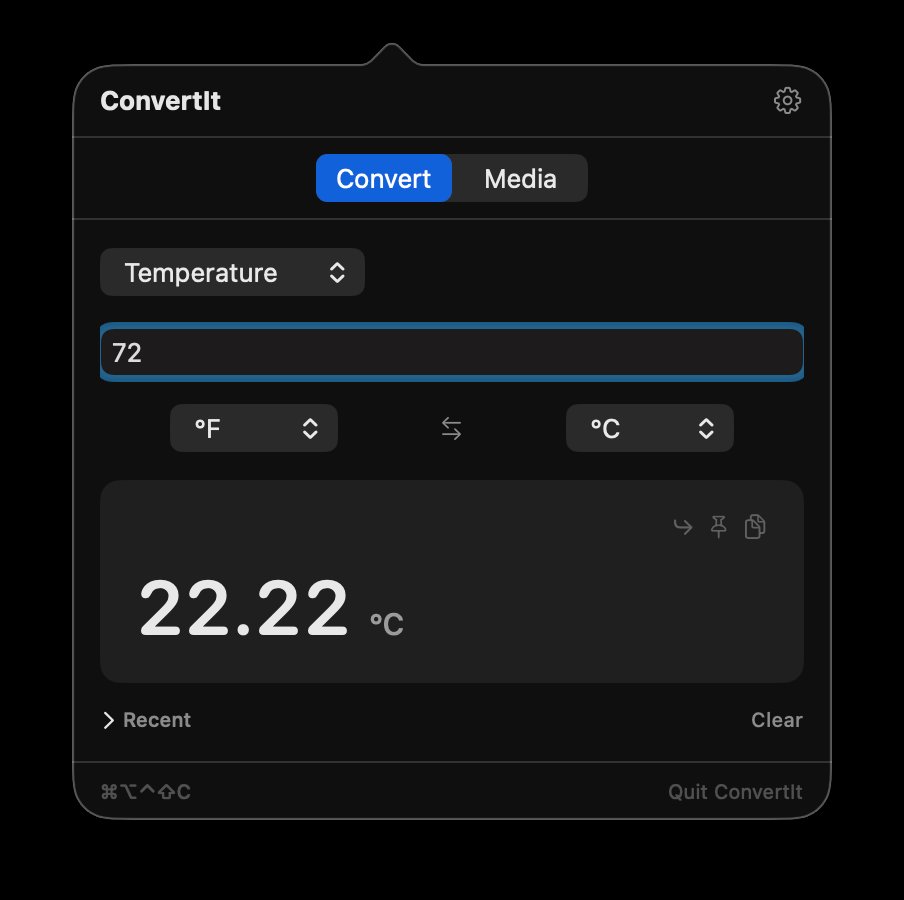
20 conversion types and batch media work, living quietly in your menu bar and ready the moment you need them.
20 categories: temperature, currency, time zones, power, number base, and more. Results appear as you type. Copy on Return, or enable auto-copy as values change.
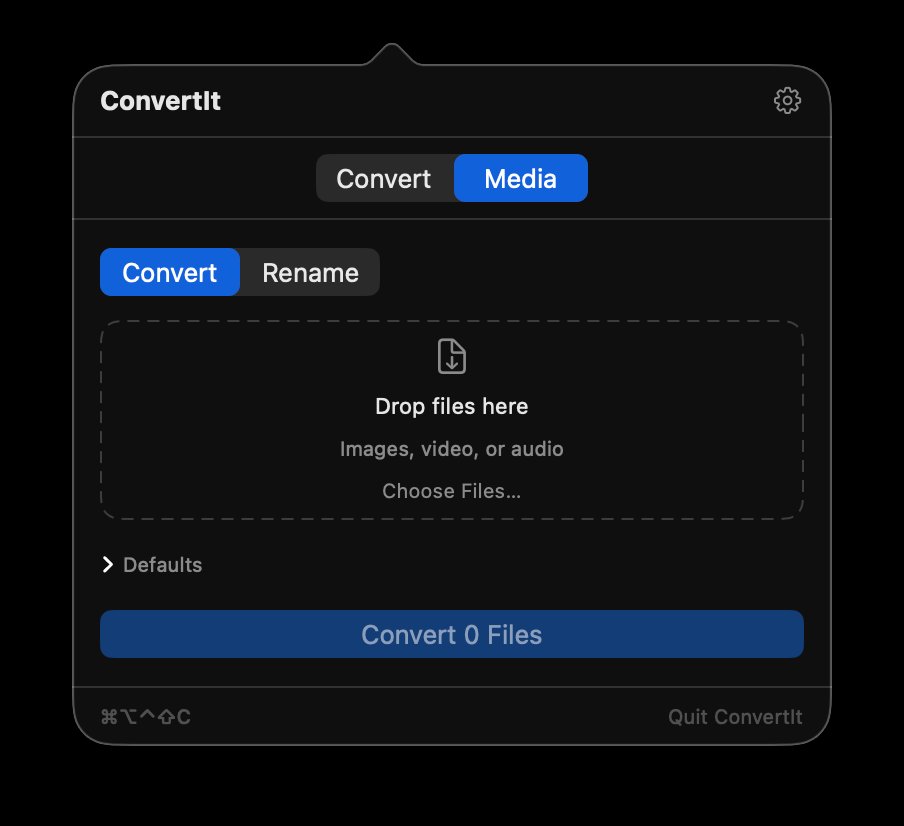
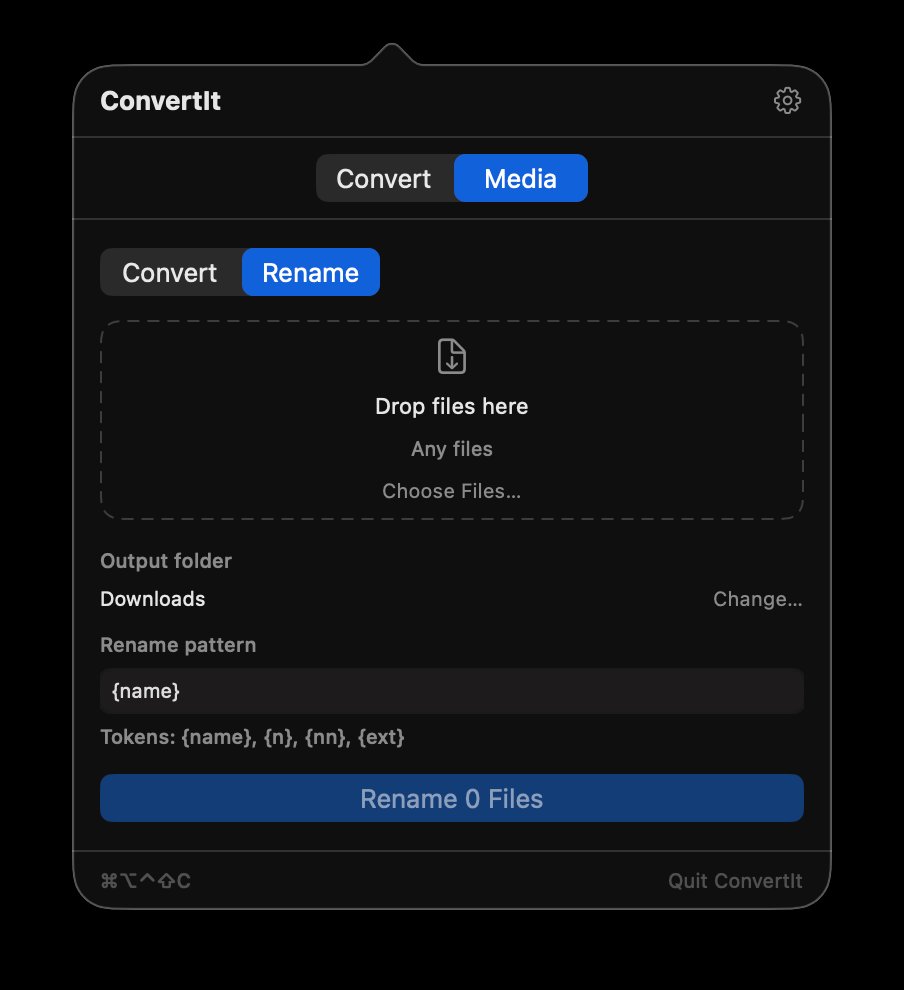
Convert folders of images, audio, or video in one drop. Batch rename with pattern tokens like {name}, {n}, and {ext}.
Input focuses the moment the panel opens. Set any hotkey, choose Quick or Guided mode, and keep your hands off the mouse entirely.
Media tab
Drop images, video, or audio and convert them all at once. Need to rename a hundred files? A dedicated rename mode handles that too.
Drop a folder, pick your output format, done.
{name}, {n}, {nn}, {ext} — flexible patterns for any workflow.
Set any key combination. ConvertIt opens instantly, wherever you're working, and closes just as cleanly when you're done.
Quick mode understands plain-English conversions. Open the panel, type, and the answer appears as you go. Prefer menus? Guided mode lets you pick a category and units instead.
72f to cFahrenheit to Celsius100 usd to eurLive currency rates3pm pst to tokyoTime zone converter45 lbs to kgPounds to kilograms5 mi to kmMiles to kilometers2 gal to lGallons to liters100 m/s to mphSpeed20% tip on 85 split 4Tip calculator18% of 250Percentages255 to hexNumber bases1500 w to hpWatts to horsepower25 mpg to l/100kmFuel economyMore answers on the Support page.
Yes. ConvertIt is free, with no account, subscription, or ads. Get it from the Mac App Store or download the DMG directly from this site — it's the same app either way.
Twenty categories: temperature, length, weight, volume, area, speed, pressure, energy, power, angle, frequency, data size, fuel economy, time, force, number base, time zones, currency, percentages, and tips. A searchable catalog adds less common units like fathoms, troy ounces, and light-years. The Media tab batch-converts images, video, audio, and spreadsheets (CSV, TSV, XLSX) and batch-renames files.
Unit, time zone, percentage, tip, and media conversions run entirely on your Mac. Currency uses European Central Bank reference rates, cached for 24 hours, so it keeps working offline with the last rates it fetched.
No. Conversions happen on your device, there's no account, and the app contains no analytics SDK. See the privacy policy for details.
Any Mac running macOS 14 Sonoma or later, on Apple Silicon or Intel.
ConvertIt lives in your menu bar. Click its icon, or press the global hotkey (⌃⌥⌘⇧C by default — you can change it in Settings). You can also select text in any app and use Services → Convert with ConvertIt, or run it from Shortcuts.